Modernizing the Gmail's - People Card
Google Workspace | People Card - Design System | Shipped 2024

OVERVIEW
Project overview
Modernise the experience with Material 3, drive actionable usage, and create a scalable, future-proof framework that supports new collaboration behaviours and partner needs.
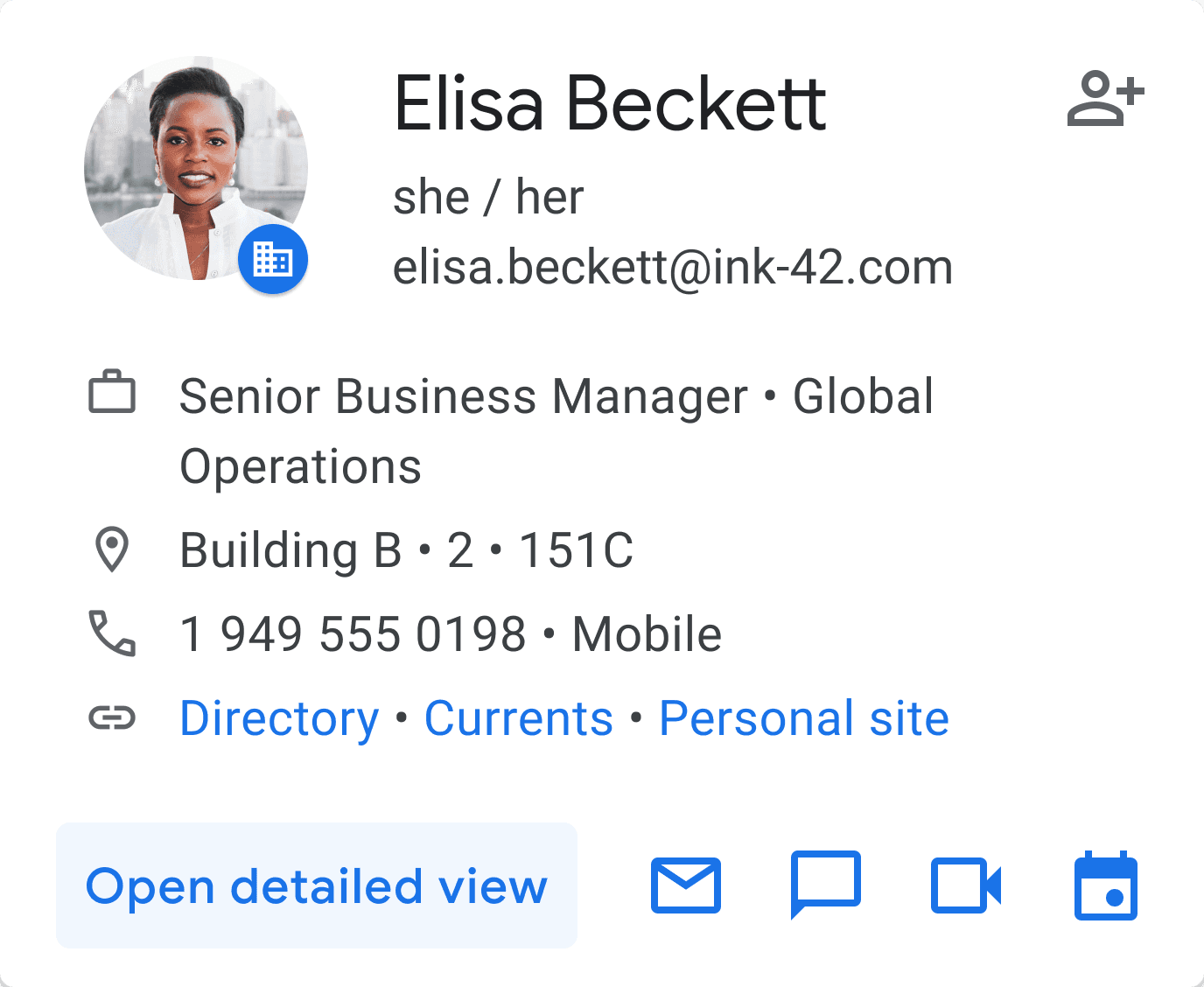
I led the end-to-end redesign of Gmail’s People Card : A hover UI component surfaced across Gmail, Chat, Calendar, and other Google Workspace products. It gives users quick, glanceable info about a person. It is available for both Enterprise and Consumer users.
PRODUCT
Web
TIMELINE
Q1 2023 - Q4 2024
MY ROLE
As a UX/Visual designer, I established the card's strategy and worked on future enhancements, including personalization features and increasing partner traffic engagement.
TEAM
Jerry Cao (Senior Interaction Designer), Travis Eliot (Software Engineer)
SKILLS
Visual Design, Stakeholder Management, Interactive Prototype
IMPACT
Released across the Google workspace for both Enterprise and Consumer users
INTRODUCTION
What is a Hover Card?
PROBLEMS & PROJECT GOALS
Problems & project goals
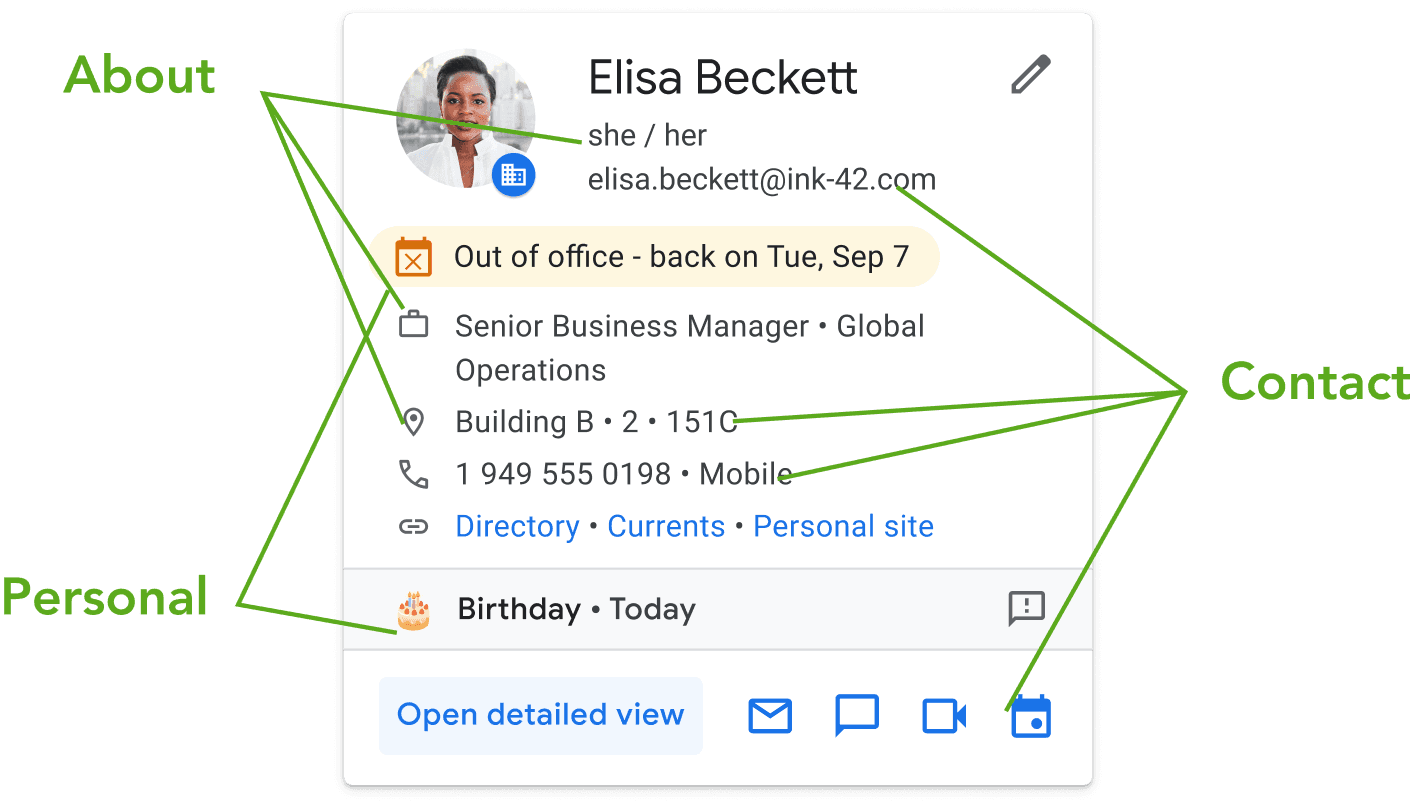
Despite being widely surfaced across Workspace, the People Card underperformed:
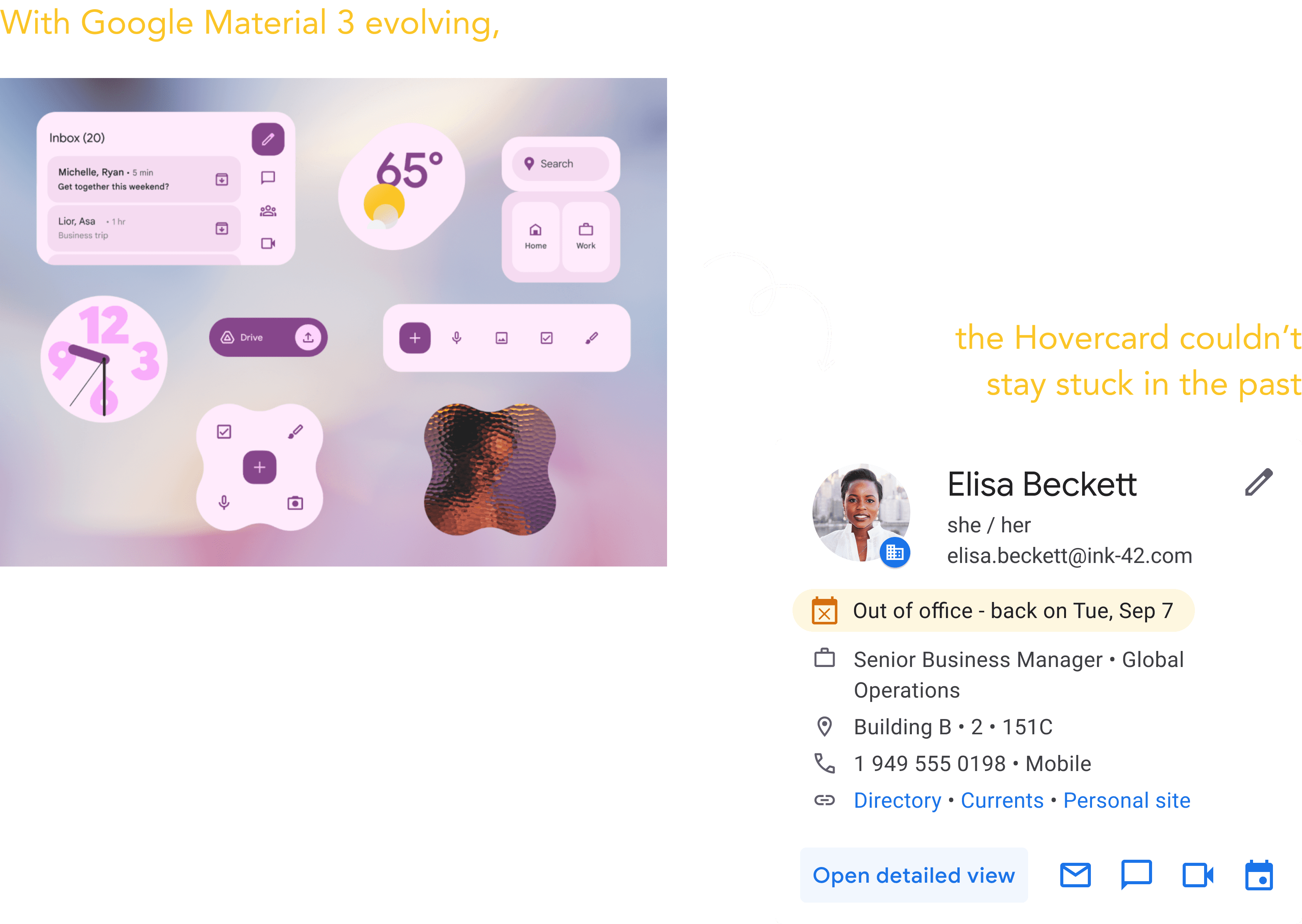
The design felt outdated
The Hovercard was still using older patterns and hadn’t been updated to Material 3. As Google’s design language evolved, this surface felt stuck in the past, creating inconsistency across products.
Low Usage, High Impact
Key actions like “open detailed view” drove significant partner traffic, but overall usage was minimal. At just 0.1% engagement, it wasn’t living up to its potential impact.
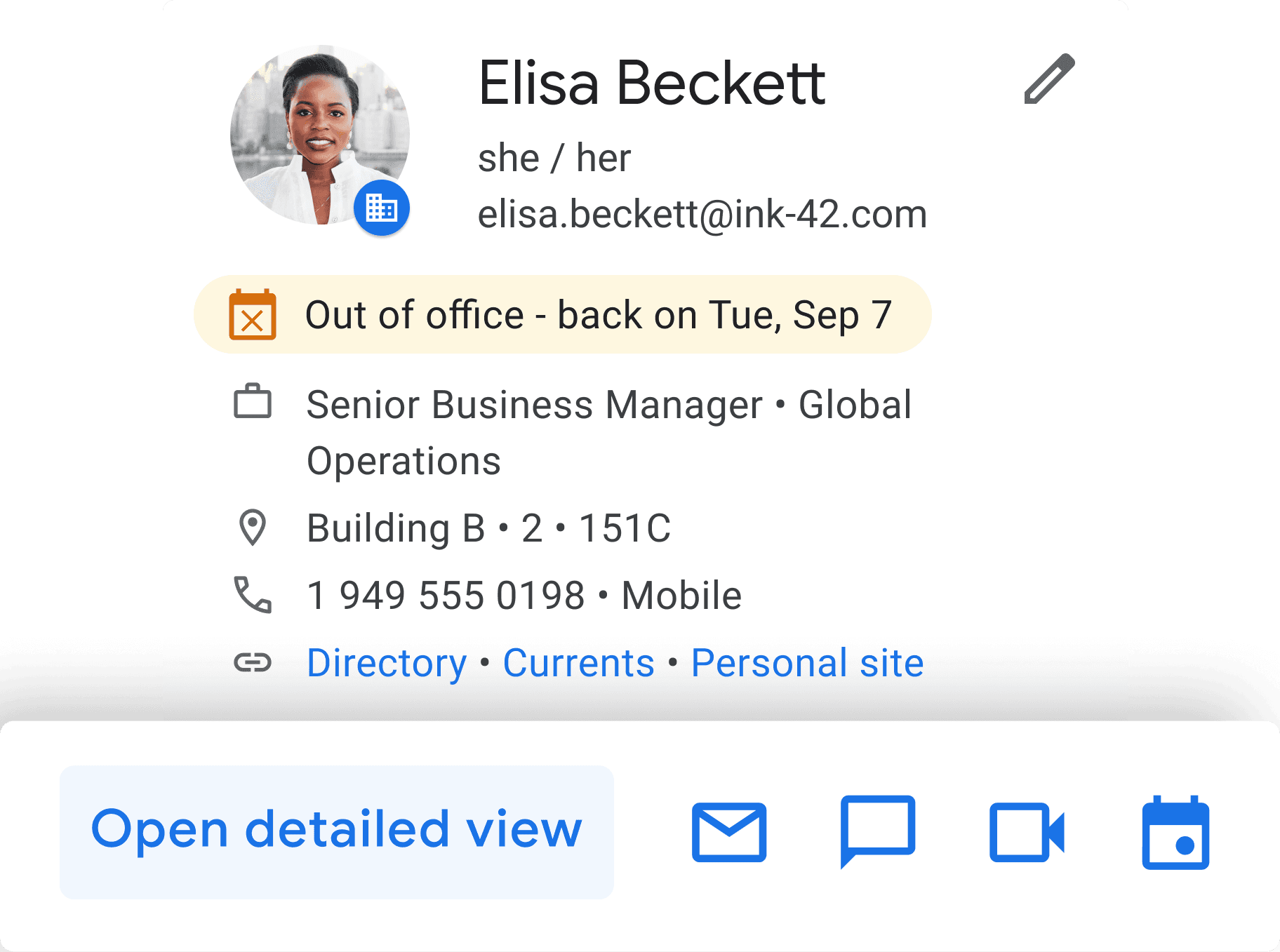
Social moments felt flat
Features like birthday reminders were present, but they didn’t feel personal or meaningful enough to spark genuine connection.

UX & visual hierarchy outdated
unable to accommodate new feature requests from partner teams
Low cross-product traffic
Missed opportunity to drive engagement to partner experiences like Chat, Calendar, Drive, and Meet

OPPORTUNITY
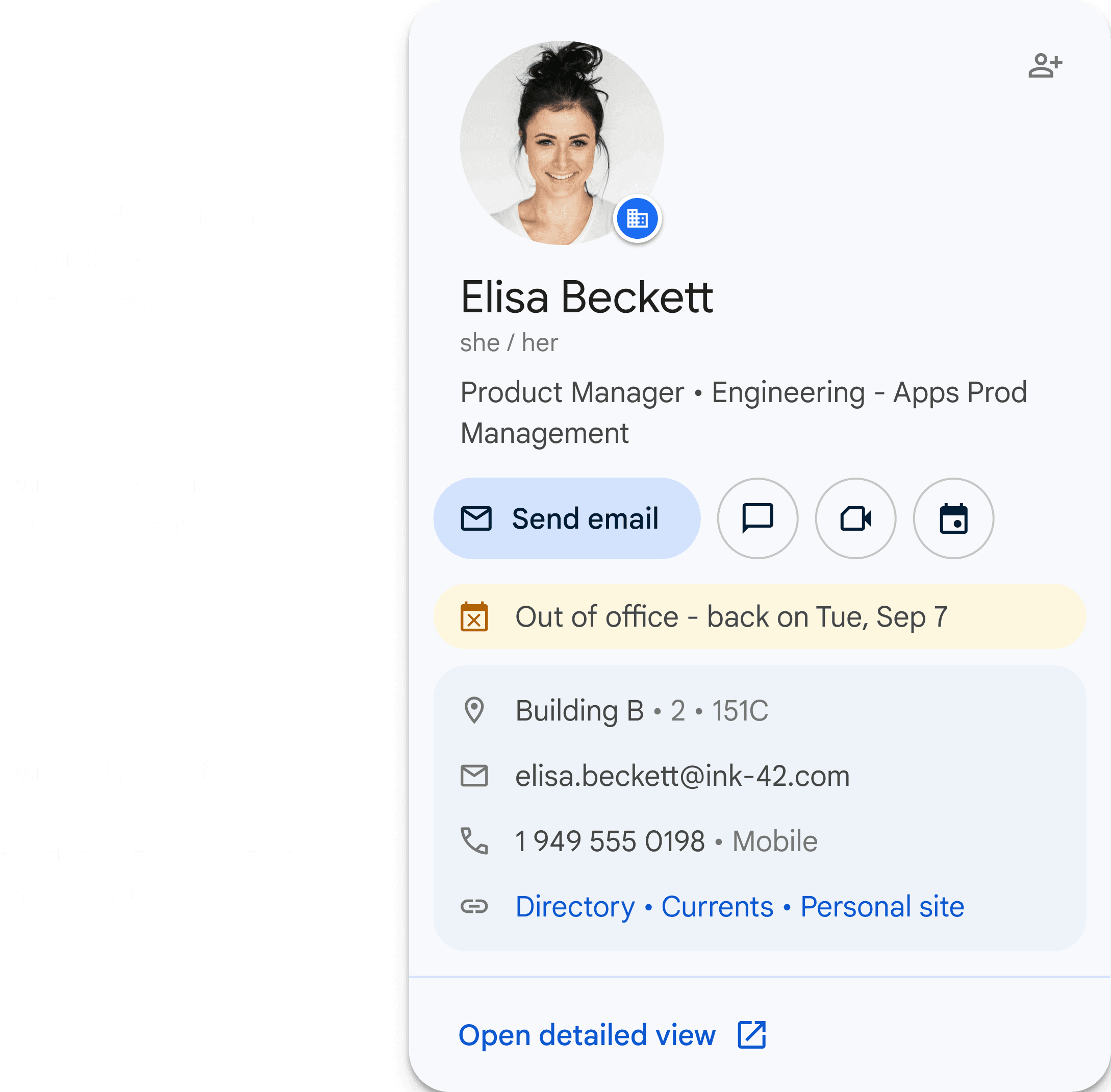
A meaningful redesign to improve the functionality & usability
Restructured the layout to create clearer information grouping
Identified the next most frequently used button and ensured that CTAs deliver value when users view this hover card in their respective contexts
Kept the current CTA Open detailed view at the bottom to test its effectiveness. We didn't want to remove it or change its placement at this stage.
Recognised that while compact design has its merits, but thoughtful white space creates a better user experience
INITIAL FEEDBACK
The size of the card came out of box!
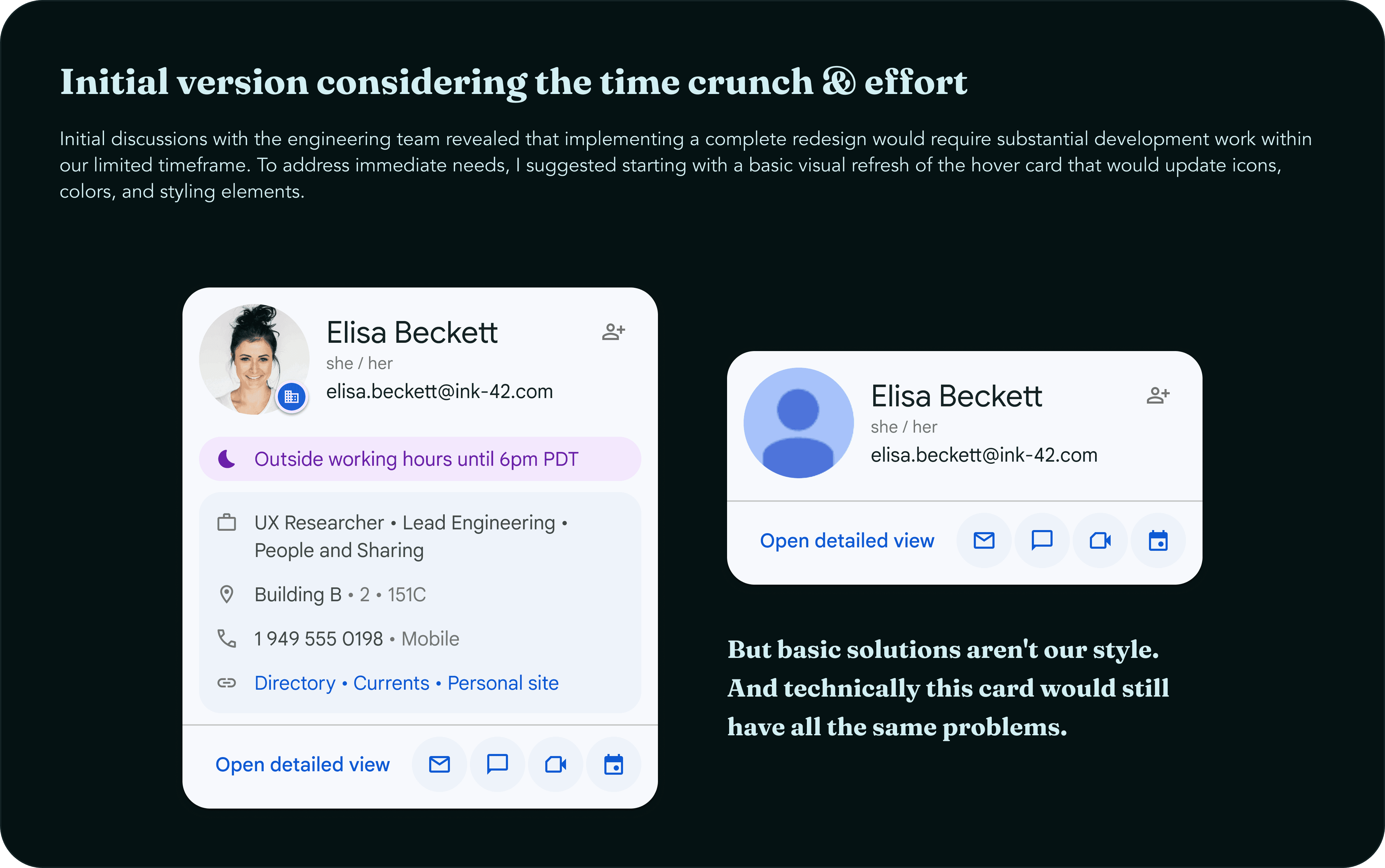
While partners were happy about the re-organizing and actions (& other things that I can't share yet), they were primarily concerned about the card's length. Since this component appears across all Workspace products, they worried about it consuming too much screen space, despite its importance.

RE-EVALUATIONS
Re-evaluating feedback and time constraints
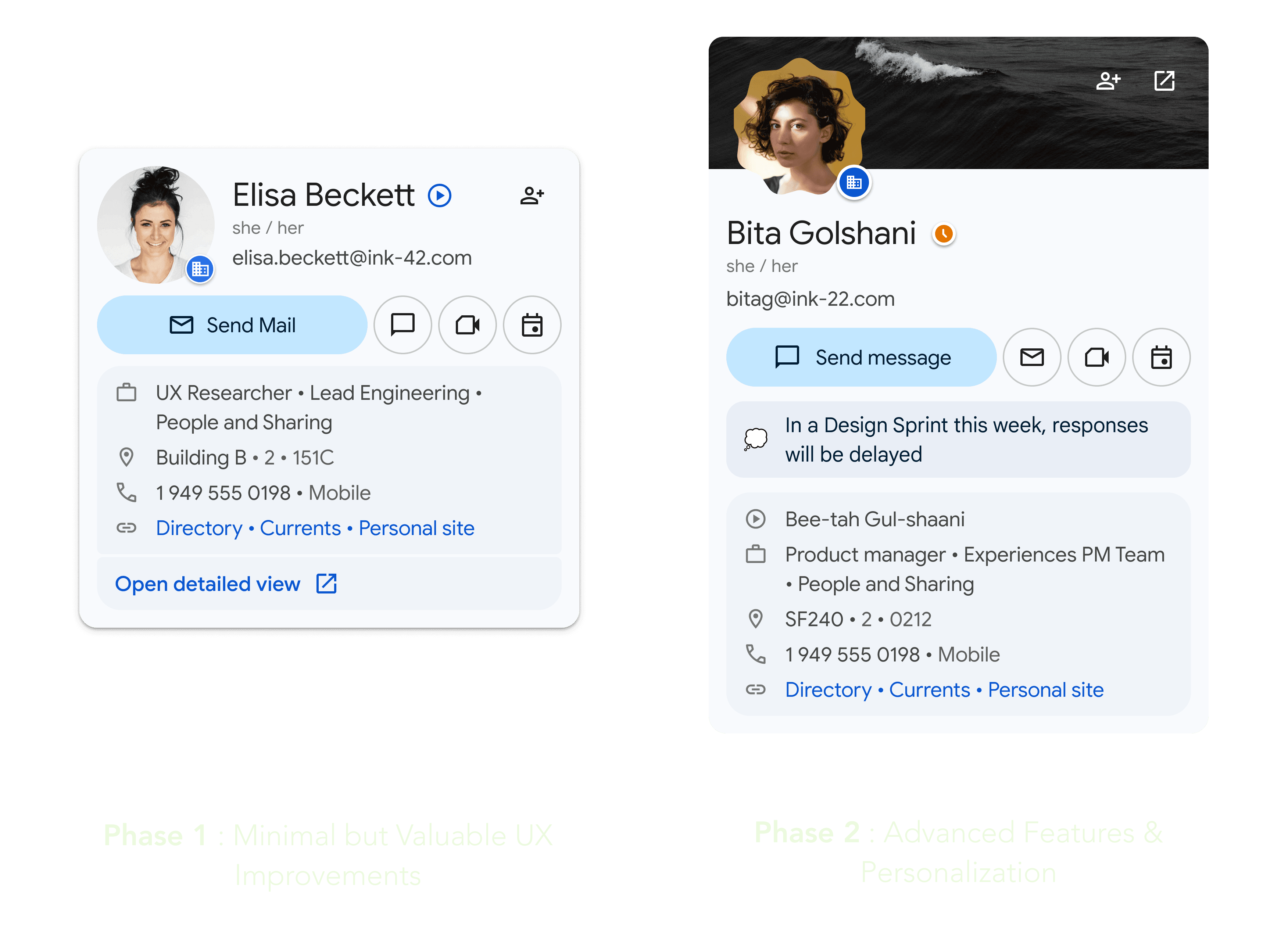
After going through the research, feedback, and technical constraints, I realized it made more sense to test changes gradually instead of all at once. So I proposed breaking the improvements into two phases to learn and adjust along the way.
FINAL DESIGNS
Key design improvements
Redesigned layout to elevate primary actions and future-proof for scalable interactions.
Contextual CTAs tailored to user intent across surfaces like Chat, Docs, and Gmail.
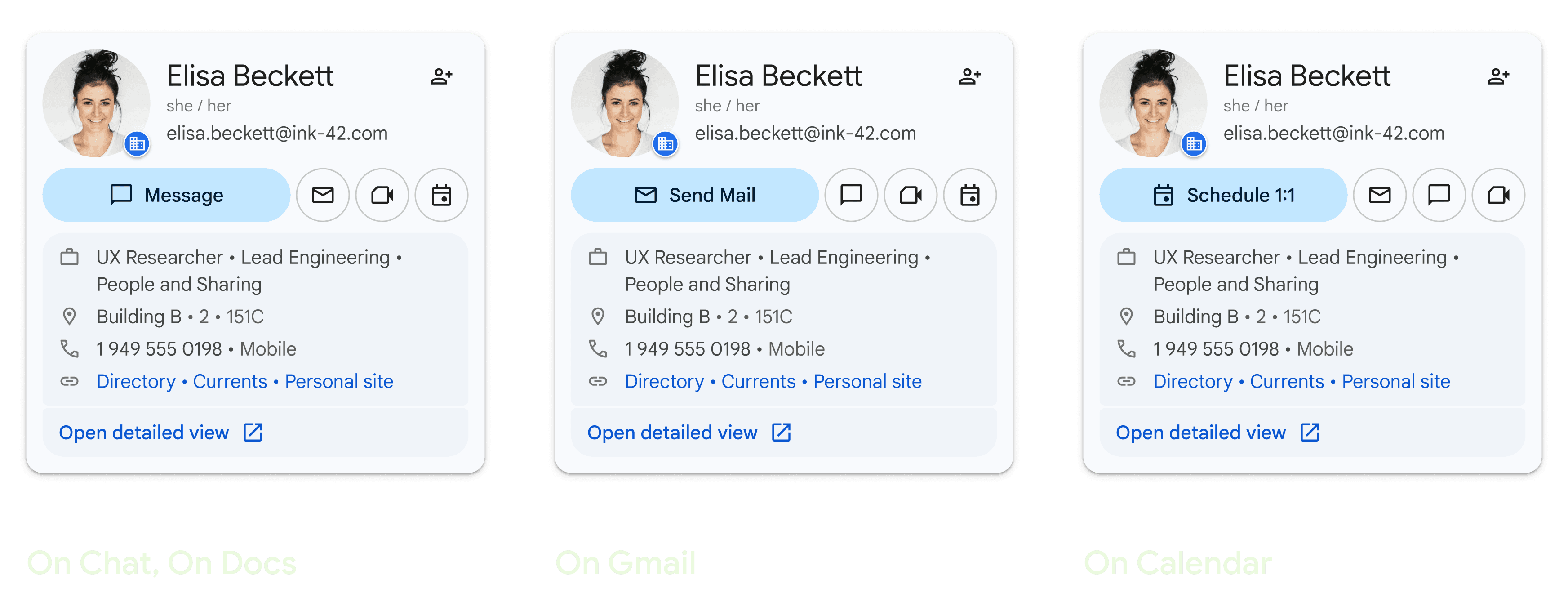
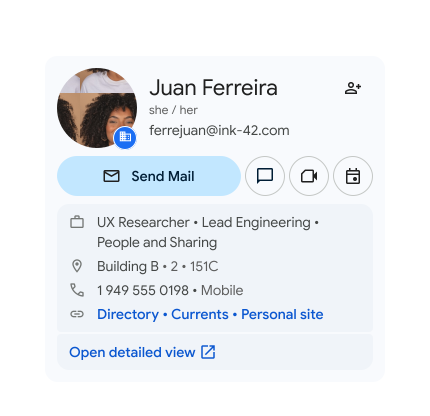
By positioning this button within the contact information section, created a logical flow where users can naturally progress from viewing basic details to accessing more comprehensive information.
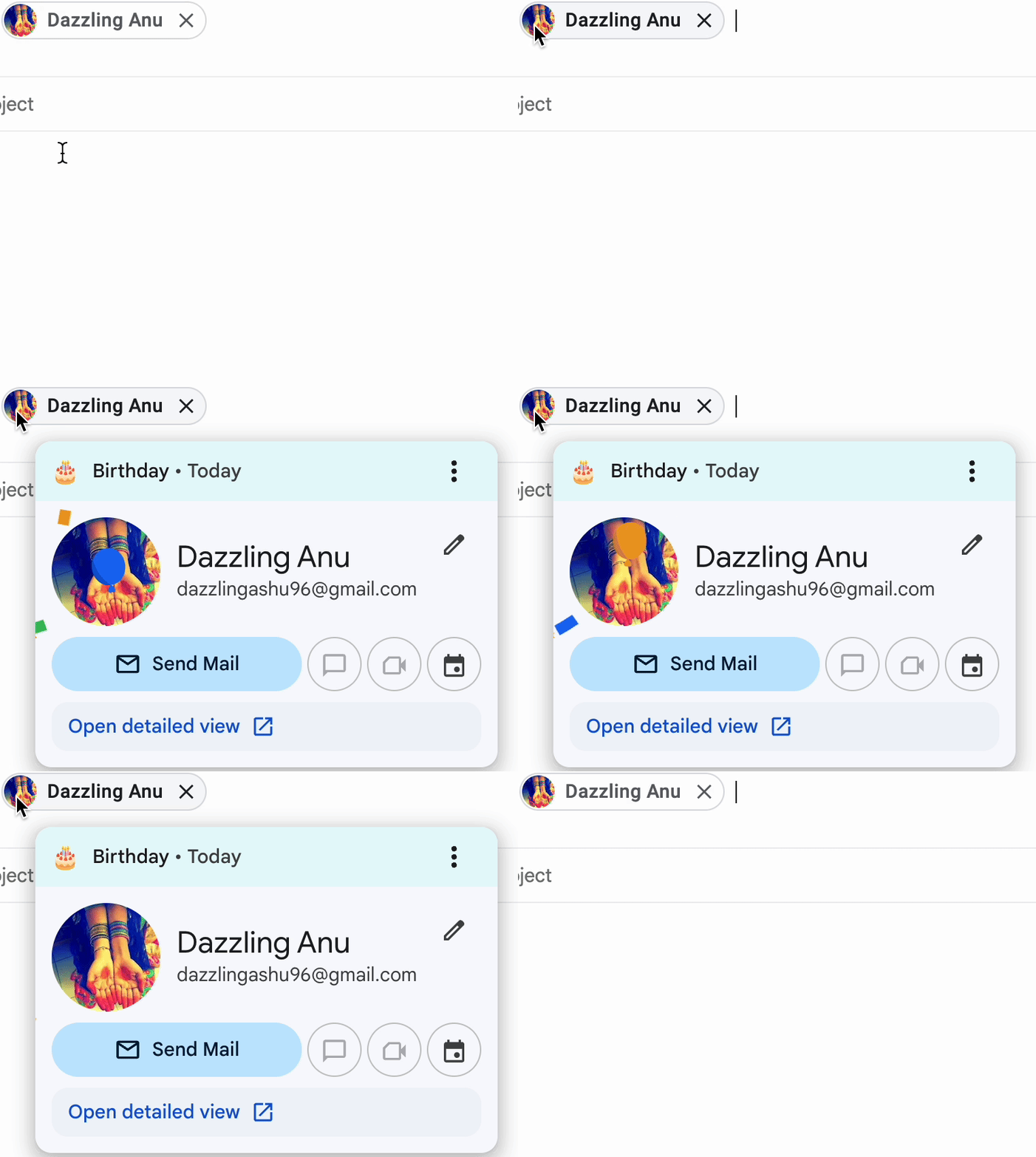
The current hover card design lacks cohesion between the birthday animation and notification placement. While the card currently focuses on user and enterprise information, future versions will be more personalized.

Enhanced the motion and icons with different interactive states, making this accessibility feature more intuitive and usable


Integrated accessibility and usability improvements to make the card experience seamless - whether clicking, tapping, or tabbing.
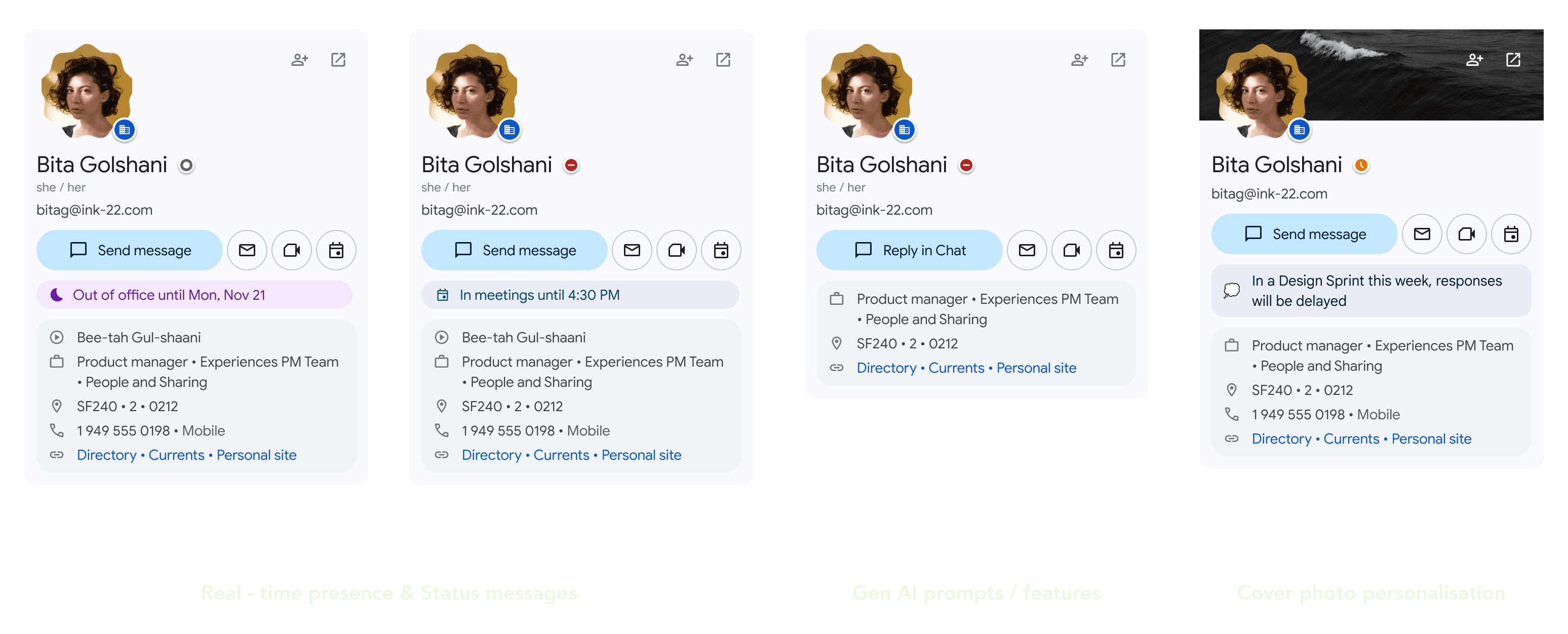
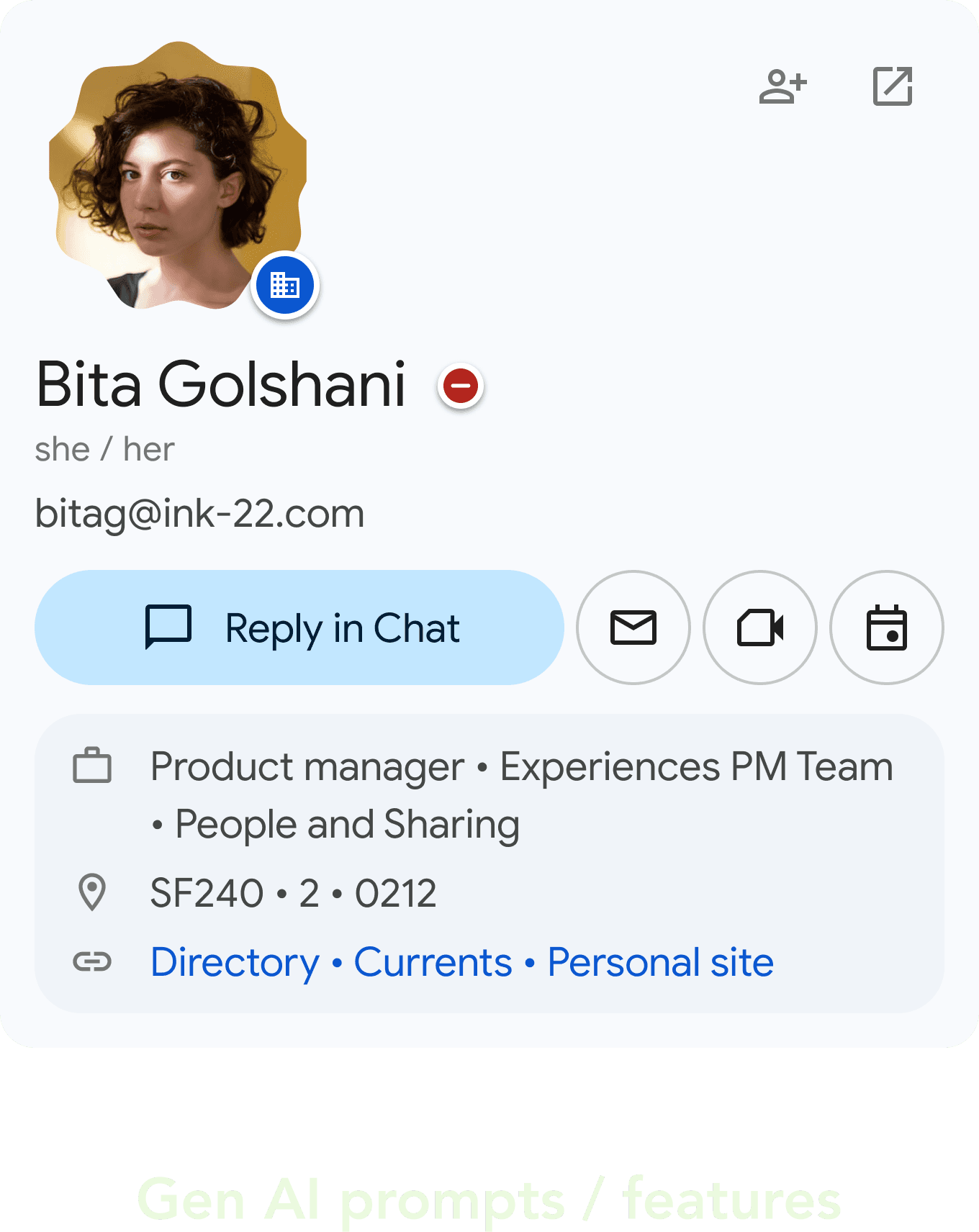
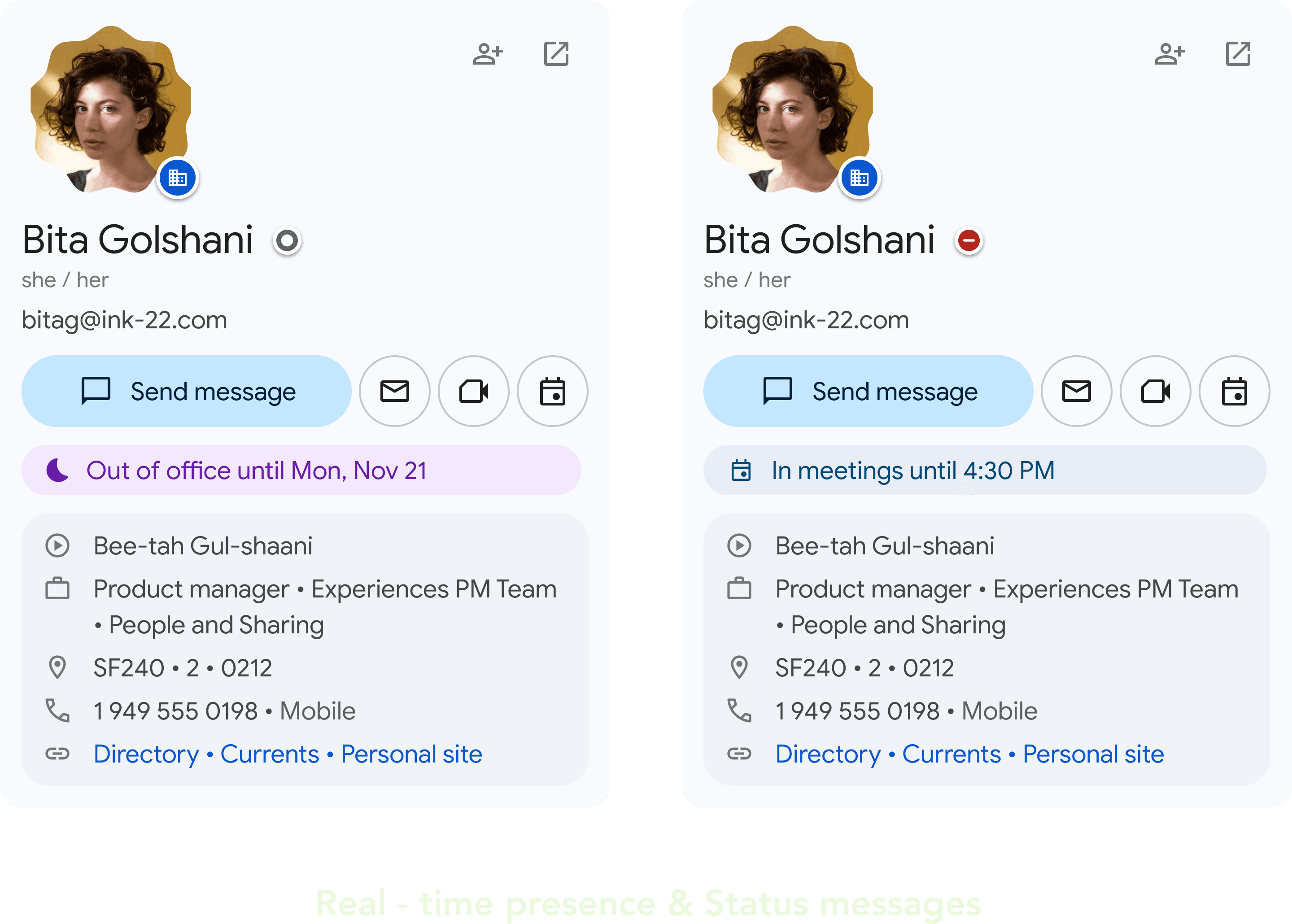
Future-proofed the card system to flex with evolving needs - whether it’s GenAI features, out-of-office automation, or cover-level personalization.

OUTCOMES
The Hover card is finally released live to 3 billion users globally 🎉
Though I’m no longer with the team, the final design I left behind approved by all 1P partners went live exactly as it was. No changes, no rework.
In a space as cross-functional and high-visibility as this, having the work hold up all the way through launch felt like a quiet but meaningful win.
That said, I still made sure to think ahead and outlined how we could measure success post-launch. Here’s how I planned to evaluate the impact of the redesigned Hovercard:
Successful cross-functional launch with zero critical QA issues
Used as a reference implementation for other Material 3 upgrades across Workspace (Sheets, Docs, Slides)
Received positive qualitative feedback from internal stakeholders and power users (Fishfooding)
Card adopted as a foundation for Gen AI-powered cards.
Enabled product partners to plug into a scalable surface for contextual conversion (e.g., “schedule 1:1,” “reply in chat”)
TAKEAWAYS
Key takeaways
Designing at scale across complex ecosystems
Driving alignment between design systems, product goals, and cross-functional asks
Creating future-proof, adaptable patterns that support AI, personalization, and partner extensibility
Advocating for meaningful hierarchy and minimalism in highly dense UI surfaces
Bonus because you stayed :)
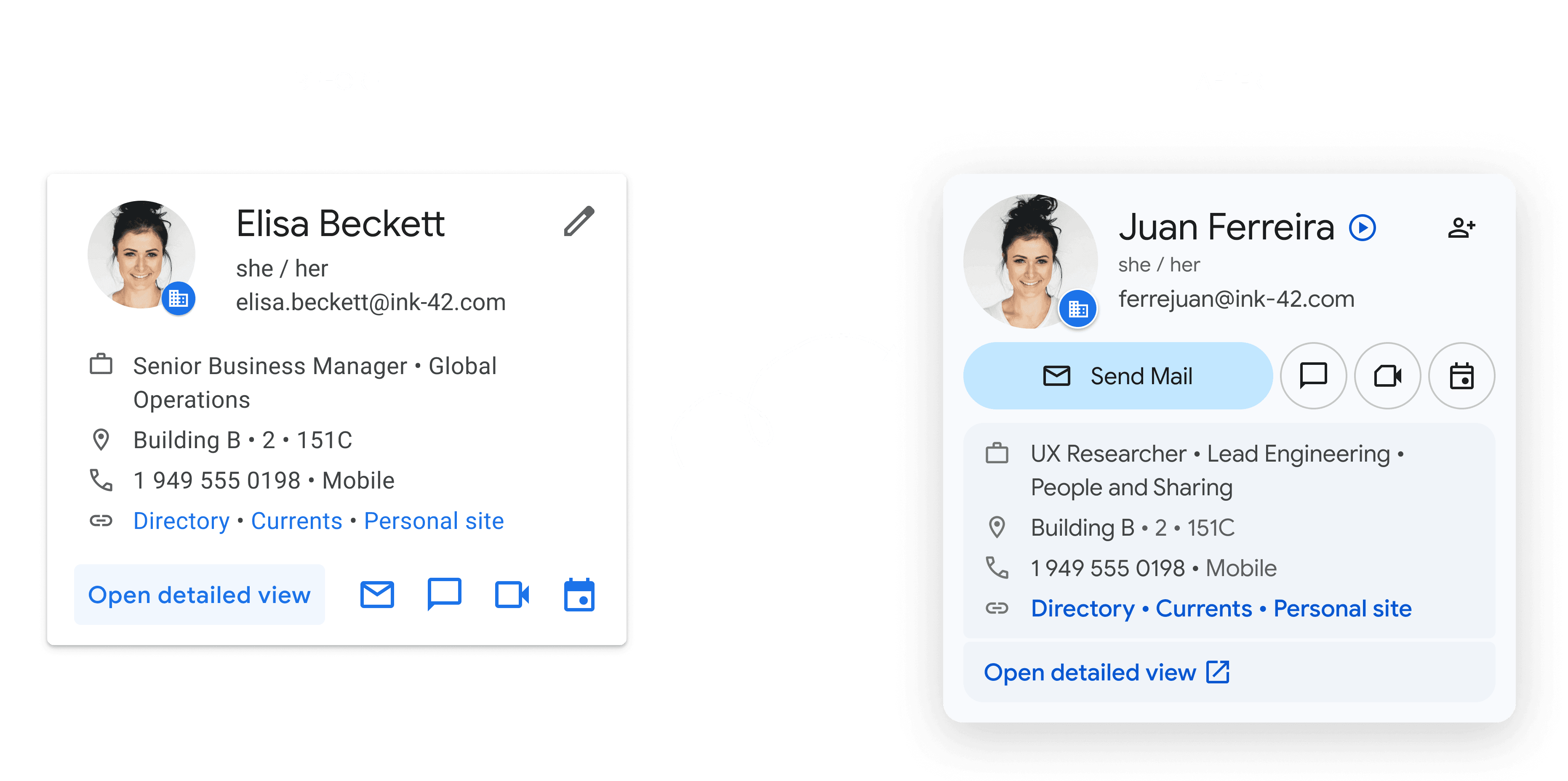
Here are some initial variations this card went through before we landed on the phase 1 solution